A hacky method to follow hashtags not users on mastodon.
Enable advanced web interface
Two find a hashtag you want to follow, click on it and it will open in a new column.
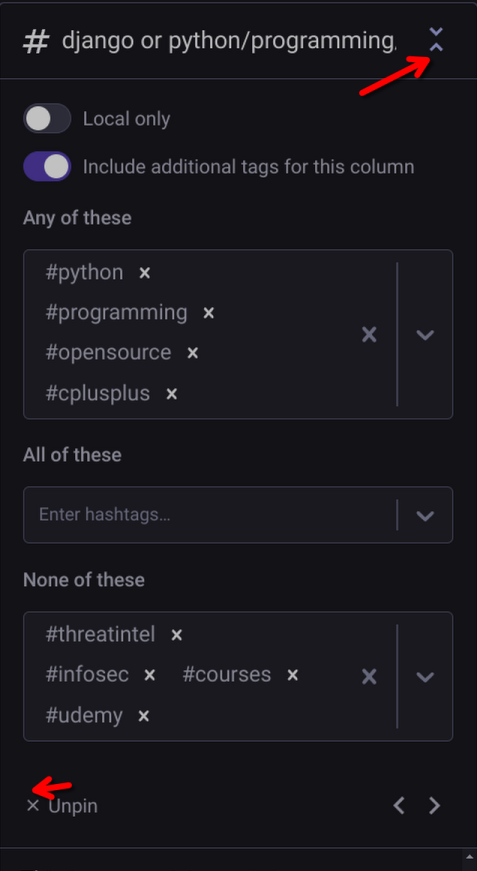
On the little top and bottom arrows you can expand the panel for settings.
Any, All, and None are the options, add things you do want to see and don't want to see. For example I don't want CTI(Cyber Threat Intelligence) related posts in my python feed, so I add those hashtags to the None box.
Once you are done fold up the menu and then scroll along.
This comes at a high expense to the UI and UX the columns become difficult to navigate after three.
If someone has a different idea about following hashtags let me know.